Anúncios
Top Gaming Accessories Every Player Should Own. The quest for a truly immersive and competitive gaming experience hinges not just on the hardware inside your machine, but on the tools you use to interact with it.
For serious players, merely having a PC or console isn’t enough; the right peripherals are the difference between a casual pastime and peak performance.
These essential devices fundamentally shape how you play, offering tactile feedback, blistering speed, and unparalleled comfort for those marathon sessions.
Why Do Accessories Matter More Than Ever for Gamers?
Gaming is an activity where marginal advantages translate directly into victory. Exceptional accessories provide that crucial edge.
They reduce input lag, enhance auditory awareness, and minimize physical strain. Investing in quality gear is an investment in your success and long-term enjoyment.
Think of accessories as a pro athlete’s specialized equipment.
How Can the Right Peripherals Transform Your Gameplay Experience?
Superior peripherals offer precision and speed that built-in or basic gear simply cannot match.
A high-refresh-rate monitor, for instance, eliminates motion blur, showing you the action faster.
This immediate visual advantage is key in fast-paced competitive titles. The best accessories feel like a natural extension of your own intent.
The must-have gear falls into three main areas: input devices, auditory systems, and visual enhancers. Input devices cover how you command the game.
Auditory systems manage sound, which is vital for positional awareness. Visual enhancers improve the picture you see.
The Auditory Edge: Why a Quality Headset is Non-Negotiable
Sound is arguably the most undervalued asset in competitive gaming. A premium headset delivers crisp, accurate positional audio.
Hearing subtle footsteps or distant gunfire before your opponents is critical. It turns a reactive situation into a proactive one.
Which Features Define a High-Performance Gaming Headset?
Look for headsets with large, high-fidelity drivers and comfortable, breathable earcups.
Features like a clear, noise-canceling microphone are essential for team communication. Low-latency wireless connectivity is highly desirable for eliminating frustrating delays.
Positional audio, often achieved through technologies like 7.1 surround sound or spatial audio, maps in-game sounds accurately in a three-dimensional space.
Knowing precisely where an enemy is approaching from without seeing them is game-changing.
This spatial awareness can single-handedly secure clutch moments.
Master of Precision: Why Dedicated Mice and Keyboards are King
Input devices are your primary connection to the virtual world, demanding responsiveness and durability.
Using a standard office mouse for gaming is like trying to race a Formula 1 car with bicycle tires. You need gear built for speed and relentless clicking.
How Does a Mechanical Keyboard Impact Your Game Speed?
Mechanical keyboards use individual switches under each key, offering superior tactile feedback and faster actuation points.
This means your commands register quicker, and you feel the moment of input more distinctly. Many elite players rely on linear or tactile switches for their responsiveness.
Read more: Why Retro Games Are Still Popular Among Modern Gamers
Gaming mice feature high-DPI sensors, customizable buttons, and adjustable weights.
A high DPI (dots per inch) allows for quicker, more precise cursor movement with less physical hand motion.
Customizable buttons let you bind complex actions instantly.
The Power of Customization: Elevating Comfort and Control
Customization, whether through macro buttons or programmable lighting, is about making the gear fit the player, not the other way around.
Mapping complex key sequences to a single mouse button saves precious milliseconds.
This personalization is a core principle for the Top Gaming Accessories Every Player Should Own.
Seeing is Believing: The Necessity of a High-Refresh-Rate Monitor
While not a peripheral in the traditional sense, the monitor is an essential component of the accessory ecosystem.
A display with a high refresh rate, often 144 Hz or 240 Hz, refreshes the image significantly faster than a standard 60 Hz screen. This reduces screen tearing and motion blur.
What is the Real-World Advantage of High Refresh Rates?
The smooth, fluid motion provided by high refresh rates allows players to track targets more clearly.
As a relevant reference, according to a 2024 analysis by DisplayLag, professional-level esports players using 240 Hz monitors demonstrated a median target acquisition time that was 18% faster than their counterparts using 60 Hz displays in simulated scenarios.
See how interesting: Gaming Myths Debunked
Can you afford to give your competitors that kind of advantage?
Gaming Chair and Desk: The Foundation of Endurance
Comfort and ergonomics are often overlooked until pain sets in. A supportive, ergonomic gaming chair and a spacious desk are vital for long-term health and focus.
An improperly aligned setup leads to fatigue and potential repetitive strain injuries.
Example: Imagine trying to play a ten-hour raid session hunched over a laptop on a kitchen stool.
Your performance will inevitably crater long before the raid ends due to physical discomfort. Proper seating ensures sustained concentration.
The Future is Integrated: Powering Up Your Setup
The modern trend focuses on seamless integration across all peripherals, often unified by a single software suite.
This allows for synchronized lighting effects and consistent settings profiles across different games. This interconnectedness streamlines the user experience.
Why is Ergonomics a Key Feature in the Top Gaming Accessories Every Player Should Own?
Ergonomics ensures that the equipment fits the human body to maximize efficiency and comfort while minimizing fatigue.
++ Saints Row
Features like adjustable keyboard wrist rests and contoured mouse grips are designed to prevent strain. Sustained comfort allows for sustained peak performance.
Example of Synergy in Accessories
Consider the synergy between a lightweight, high-DPI mouse and a large, low-friction mousepad.
The mouse’s sensitivity allows for minimal hand movement, and the smooth surface ensures maximum tracking accuracy. They operate as one cohesive unit.
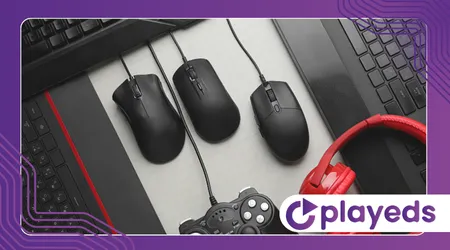
Top Gaming Accessories Comparison: Key Specifications
| Accessory Type | Key Specification | Importance for Competitive Gaming |
| Mouse | 16,000+ DPI} Sensor | Precision and Minimal Hand Movement |
| Keyboard | Mechanical Switches (Low Actuation) | Speed and Tactile Feedback |
| Headset | Spatial Audio / 50 mm Drivers | Positional Awareness and Clarity |
| Monitor | 144 Hz Refresh Rate (Minimum) | Visual Clarity and Faster Reaction Times |
The Final Verdict on the Top Gaming Accessories Every Player Should Own
The world of gaming accessories is vast and constantly evolving, but the core principle remains: performance matters.
Choosing the right gear is about bridging the gap between your skill and your output.
It’s about ensuring that when you make a mistake, it’s a human one, not a technological limitation.
The Top Gaming Accessories Every Player Should Own are those that disappear when you use them, leaving you only with the game itself.
Investing in these crucial tools is simply non-negotiable for serious players seeking an advantage. It’s the difference between merely participating and truly dominating.
Frequently Asked Questions
What is the single most impactful accessory upgrade for a new PC gamer?
A high-refresh-rate monitor, such as a 144 Hz display, generally offers the most noticeable and immediate improvement in overall gameplay fluidity and target tracking.
Are wireless accessories finally as good as wired ones?
Yes. Advancements in low-latency wireless technologies, particularly in premium gaming mice and headsets, have virtually eliminated the performance gap with wired peripherals, offering competitive speed with added freedom of movement.
How often should a dedicated gamer replace their main accessories?
High-use items like mice and keyboards should be considered for replacement every 2–3 years, depending on wear and tear, to take advantage of newer sensor and switch technology advancements.